Wedding QR Code for Guest Photos: How to Set One Up
Your photographer catches the first kiss. Your guests catch everything else: your grandma on the dance floor, the speech that went off-script, the table that started a conga line at 11pm.
The problem? Those photos stay on 100 different phones. A wedding QR code for guest photos fixes that. Guests scan it, take or upload photos, and everything lands in one album.
This guide shows you how to set one up, what to put on your sign, and what to expect on the day and after.
What is a QR code for wedding guest photos?
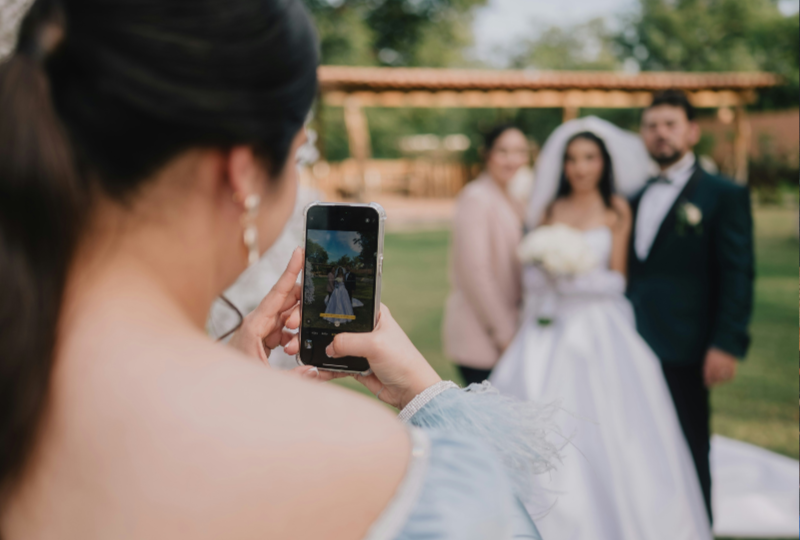
A QR code for wedding guest photos is a small code on a sign or table card. Guests scan it with their phone camera and land on a page where they can share their photos with you. No group chat, no chasing people for weeks after the wedding.
There are two ways to set one up. Both work, they just suit different weddings.
Option 1: A shared album
You link the QR code to a shared album, like Google Photos, iCloud or Google Drive. Guests scan it and upload the photos they took with their own camera app.
Best for: small weddings on a tight budget. It's free.
Cons: guests have to remember to upload, often days later. Everyone sees every photo right away, so there's no surprise. Depending on the platform, guests may need an account or an app.
Option 2: A disposable camera app with shared album
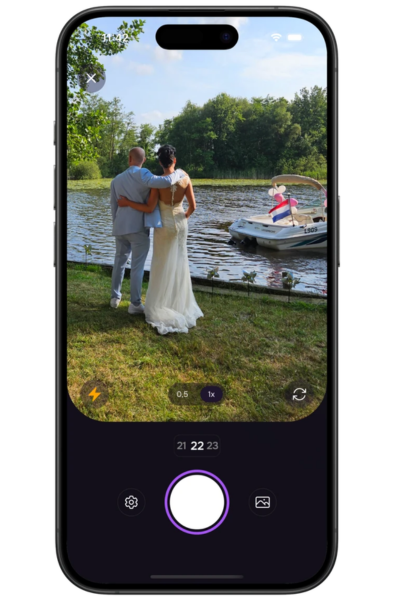
The QR code opens a camera in the browser. Guests take photos in the moment, like a disposable camera on the table, and every photo lands in one album.
Best for: couples who want every guest to join in, plus a fun reveal after the wedding.
Cons: it's not free. Lense costs roughly $5 to $100, depending on your guest count.
In this guide, we use Lense as the example, because it's our own platform. The steps and tips work for any QR setup, though. Going for a shared album? Just skip the Lense-specific settings.
Want to compare every option first? Read our 8 ways to collect wedding photos from guests or our overview of the best wedding photo sharing apps.
How to set up a QR code for wedding guest photos in 5 steps
Setting it up takes about 10 minutes. Do it a few weeks before the wedding, so you have time to print your signs.
Create your wedding event. Start an event in Lense, our disposable camera app for weddings. Give it your names and wedding date, so guests know they're in the right place.
Choose your guest count and photo limit. Each guest gets 25 photos by default, and you can change that. A limit makes every shot count, just like a real disposable camera. Want no limits? Unlimited photos and videos (up to 1 minute) are available as an extra.
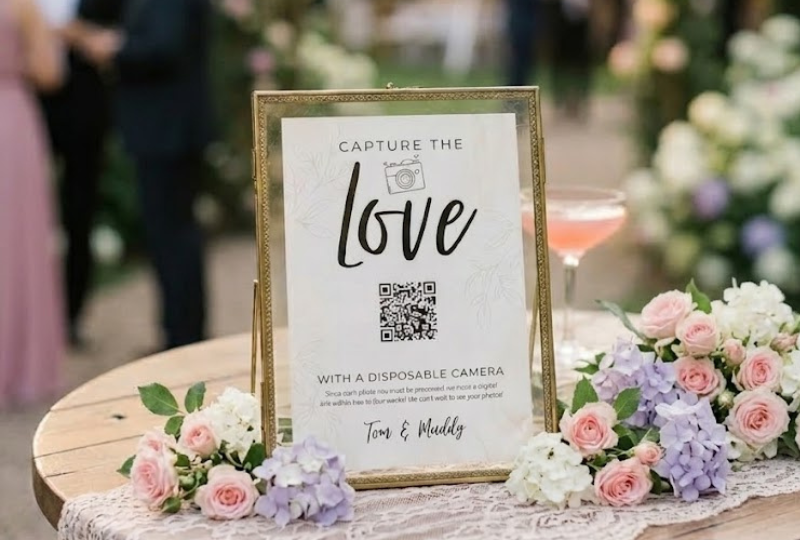
Get your QR code. Every event comes with its own QR code and link. Make a sign with our free QR code generator: design it right on our website, or use the free Canva template.
Test it yourself. Scan the printed code with your own phone and take a test photo. Then ask a friend with a different phone to do the same. Five minutes of testing saves you a lot of stress on the day.
Print and place your signs. Put a sign on every table and one at the entrance. More on placement and wording in the tips below.
Tips to get more guest photos
Your wedding guest QR code for photos only works if guests actually scan it. These tips get more guests to join in.
Put the code where people wait. Tables, the bar, the entrance and the photo spot work best. Guests scan when they have a free minute, not on the dance floor.
Make the code big enough. Print it at least 5 cm (2 inches) wide, in black on a light background. Fancy colors and gold foil look nice but scan badly.
Tell guests what to do, in one line. Keep the sign short and playful. A few examples:
"Scan me and be our photographer tonight"
"Every guest gets a camera. Scan to grab yours"
"Help us see the wedding through your eyes. Scan, snap, done"
Say it out loud. Ask your MC or best man to mention it during the welcome or before dinner. One announcement gets more guests involved than ten signs.
Keep the surprise. Lense can keep photos hidden until a moment you pick, like the morning after. That gives guests a reason to keep shooting and gives you something to look forward to.
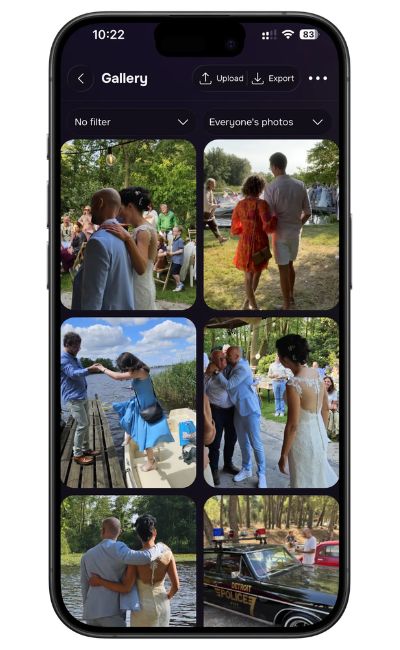
Show photos live. Want guests to see what everyone is capturing? Put the live photo wall on a screen or projector at the reception. It turns guest photos into part of the party.
Make the camera easy to reopen. On iPhone, guests can reopen the camera straight from a lock screen notification, so they don't have to scan again.
[BEELD: foto van een QR-bordje op een tafel]
What to expect on the day and after
During the wedding. Guests scan the code and the camera opens in their browser. No app to download. Each guest takes photos until they hit the limit you set, so every shot feels a bit special. In our own data, every 100 guests who join take about 780 photos on average. That's hundreds of moments your photographer never sees.
After the wedding. At the moment you chose, all photos are revealed in one shared album. You see the day from every table, angle and dance move, not just from the photographer's lens.
What it costs. Lense is free for up to 7 guests. For a wedding with 100 guests, it costs $34.99, or $44.99 with unlimited photos. Prices run from about $5 to $100, depending on your guest count, and videos are an optional extra. See pricing for every plan.
What couples say:
Review from Sierra Rich
“It was an amazing experience. Got to see our even from more than one perspective. It was simple and easy to use/set up. There were wonderful options to choose from for QR designs. Overall absolutely loved it. And plan to use again.”
See all the reviews from Lense's disposable camera app
Ready to see your wedding through your guests' eyes?
Your photographer captures the big moments. Your guests capture the rest. Set up your QR code in 10 minutes and get every guest photo in one album.
Frequently asked questions
Do guests need to download an app to use the wedding QR code?
No. With Lense, the QR code opens the camera in the browser. Guests can start taking photos right away.
Can I make a wedding QR code for guest photos for free?
Yes. You can link a free QR code to a shared album like Google Photos. It costs nothing, but guests have to remember to upload afterwards, and there's no surprise reveal.
Where should I put the QR code at my wedding?
On every table, at the entrance and near the bar. Those are the spots where guests have a minute to scan.
When should I set up my wedding guest photos QR code?
A few weeks before the wedding. That leaves time to test the code and print your signs.