Best Wedding Photo Sharing Apps for Guests (2026): 10 Compared
Last updated on October 28, 2026
Your photographer captures the first kiss and the family portraits. Your guests capture everything else: the speeches from the back row, the dance floor at midnight, the moments you didn't even know happened. The problem is getting those photos. They end up spread across 100 phones, a few group chats and a dozen Instagram stories, and most never reach you.
A wedding photo sharing app fixes that. Guests scan a QR code or open a link, and every photo and video lands in one shared wedding album. We compared 10 of the most popular wedding photo apps for guests on price, free options, upload limits, video, whether guests need to download an app, and extras like a live slideshow.
How we kept this comparison transparent: we make Lense, but every app, ours included, is scored on the same criteria, and where another app does something better, we say so. All information comes from each provider's own website, linked and dated, with no affiliate fees or paid placements.
The short answer
The best wedding photo sharing app depends on how you want guests to take part. On our seven criteria, Lense and Pix Wedding tie at 4.75 out of 5, followed by Guestpix (4.5).
Best for a disposable camera experience: Lense (our product)
Best for photo games and an audio guestbook: Pix Wedding
Best all-in-one value: Guestpix, $49 with unlimited photos and videos
Best free option: Google Photos, if a basic shared album is enough
Best for keeping photos in your own Google Drive: WedUploader
What makes a good wedding photo sharing app?
A good wedding photo app for guests is one that guests actually use. If joining takes more than a scan and a tap, half your guests won't bother. We scored every app on seven criteria. We set the criteria and weights before scoring any app.
Criterion | What we looked at | Weight |
|---|---|---|
No app download for guests | Can guests join from their phone's browser via a QR code or link, without an app or account? | 20% |
Photo & video limits | How many photos and videos guests can upload, and whether video is included | 20% |
Transparent pricing | A one-time price you know upfront: no subscription, no surprise fees after the wedding | 15% |
Control over your album | Privacy, moderation, and choosing when guests see the photos | 15% |
Fast setup | How quickly a couple can create the album and get a QR code, based on what the provider states | 10% |
Original quality | Whether photos are kept and downloadable in full resolution | 10% |
Fun for guests & extras | How much fun guests have during the wedding, plus features like a live slideshow, guestbook or photo games | 10% |
We scored each criterion from 1 to 5, using only information published on each provider's own website. Where a provider doesn't state something, we say so instead of guessing.
Wedding guest photo sharing: upload apps vs. camera apps
Wedding photo apps come in two types, and the difference decides how your album turns out. Upload apps collect the photos guests already took with their own phone camera. Camera apps give guests a camera to shoot with during the wedding, often with a set number of shots and a reveal afterwards, like a disposable camera.
Type | How guests take part | Apps in this comparison |
|---|---|---|
Upload app | Guests pick photos from their camera roll and upload them | Google Photos, GuestCam, Guestpix, Kululu, Wedibox, WedShoots, WedUploader |
Upload app with a reveal mode | Guests upload; photos stay hidden until the reveal | Pix Wedding (film-roll mode) |
Camera app | Guests shoot in the app, with a photo limit and a delayed reveal | Lense (also accepts camera roll uploads), POV |
Choose an upload app if you mainly want every photo in one place. Choose a camera app if you want guests to shoot all day and see the photos together as a surprise.
The 10 wedding photo apps for guests we compared
These are the apps couples ask about most, from free shared albums to dedicated wedding photo apps with a QR code. They're listed alphabetically, not by score.
Wedding photo sharing apps compared at a glance
Prices
App | Price for 100 guests | Unlimited photos & video | Free plan |
|---|---|---|---|
Google Photos | Free | Included, up to your Google storage | Yes |
GuestCam | $49 | Included | Not listed |
Guestpix | $49 | Included | 50 photos |
Kululu | $39 (up to 500 uploads) | $99 (Pro plan) | 100 uploads |
$34.99 (25 photos per guest) | +$10 unlimited, +$9.99 video | 7 guests | |
Pix Wedding | $49 | Included | 20 uploads |
POV | $34.99 | Not listed | 10 guests |
Wedibox | $29 | Included | 50 photos |
WedShoots | Free | Photos included, video not listed | Yes |
WedUploader | $49 | Included, up to your Google Drive storage | Not listed |
Features
App | Guest app needed | Guest account needed | Video | Live slideshow | Delayed reveal |
|---|---|---|---|---|---|
Google Photos | No | – | ✓ | – | – |
GuestCam | No | No | ✓ | ✓ | – |
Guestpix | No | No | ✓ | ✓ | – |
Kululu | No | No | ✓ | ✓ | – |
Lense | No | No | Add-on | ✓ | ✓ |
Pix Wedding | No | No | ✓ | ✓ | ✓ |
POV | No | – | – | Add-on | ✓ |
Wedibox | No | No | ✓ | ✓ | – |
WedShoots | Yes | – | – | ✓ | – |
WedUploader | No | No | ✓ | ✓ | – |
✓ = included · Add-on = available at extra cost · – or "Not listed" = not stated on the provider's website. Prices in USD, one-time per event. "Live slideshow" includes features called photo wall, slideshow or projector mode. Based on each provider's own website, checked on 14 October 2026; prices may change and some were temporary discounts.
The 10 wedding photo apps in detail
Google Photos
Best known for: a free shared album that most guests already use. Price: free, using your Google account storage.
Google Photos lets you create a shared album and invite people by link or QR code. It's free and familiar, but it isn't built for weddings: there are no event features, and adding photos is designed around Google accounts.
Features
Share an album by link or QR code
Anyone with the link can view and add photos
Works on Android, iPhone and the web
Cons
No wedding features: no slideshow, guestbook or delayed reveal
Shared items can count toward your Google storage quota
Anyone with the link can see the whole album
Source: Google Photos Help, checked 14 October 2026.
GuestCam
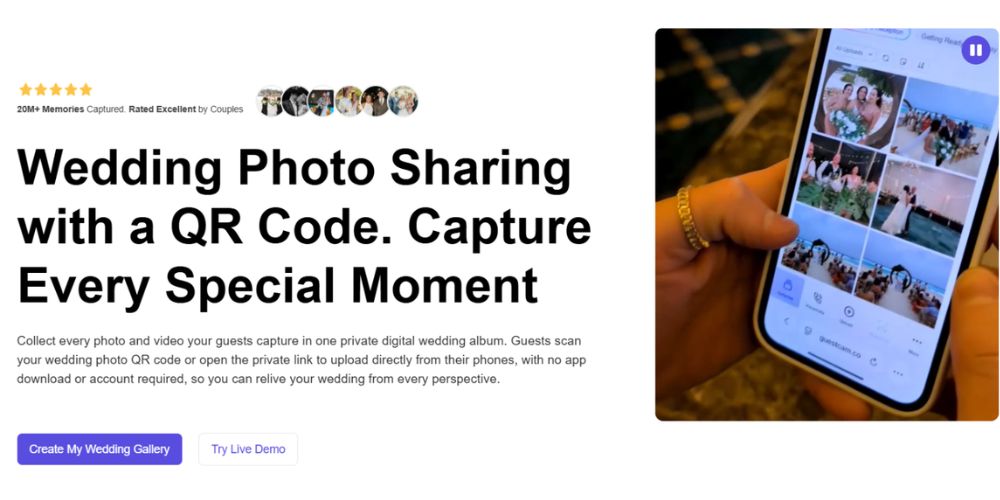
Best known for: an event gallery with an audio guestbook. Price: $49 (Standard) or $97 (Premium), one-time.
GuestCam is a browser-based upload gallery. Guests upload photos, record audio messages and browse the gallery from their phone, with no app download or account on any plan. Both plans include unlimited guests, photos and videos.
Features
Unlimited guests, photos and videos, stored in original quality
Web and phone-booth audio guestbook
Live slideshow, reactions and comments on every photo
Editable Canva templates for QR code signs and table cards
Cons
No free plan listed on the pricing page
Standard has a 6-month upload window and 12 months of storage
Face search (MagicFind) and a dedicated guestbook phone number cost extra
No delayed reveal mentioned
Source: GuestCam pricing, checked 14 October 2026.
Guestpix

Best known for: an all-in-one wedding gallery with unlimited uploads. Price: $49 (Classic), $89 (Signature) or $119 (Signature Bundle), one-time.
Guestpix is a browser-based gallery. Guests scan a QR code or tap a private link, with no app, sign-up or password. Every paid package includes unlimited photos and videos.
Features
Unlimited photos and videos on all paid packages
Written and video guestbook, plus a digital invitation with RSVP
Slideshow, content moderation and 180+ Canva QR templates
Full-resolution ZIP download
Cons
The free tier is limited to 50 photos with a 30-day upload window
Classic has a 3-month upload window; longer windows cost more
No delayed reveal mentioned on the pricing page
Source: Guestpix wedding pricing, checked 14 October 2026.
Kululu
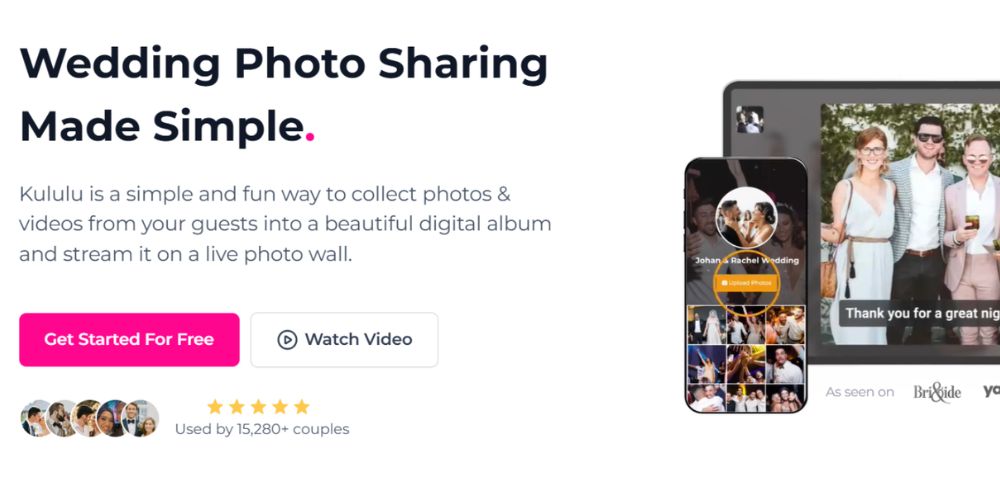
Best known for: a live photo wall during the event. Price: Plus $39 or Pro $99, one-time.
Kululu combines a digital album with a real-time slideshow on every plan. Guests scan a QR code or open a link; no app is needed.
Features
Live slideshow on all plans, including Free
Unlimited uploads and original quality on Pro
Manual moderation and an automatic content filter on Pro
Cons
Free: 100 uploads, a 24-hour window, standard quality, kept for 7 days
Plus stops at 500 uploads and keeps photos for 3 months
Upload windows close 1 to 3 months after the event
Source: Kululu pricing, checked 14 October 2026.
Lense
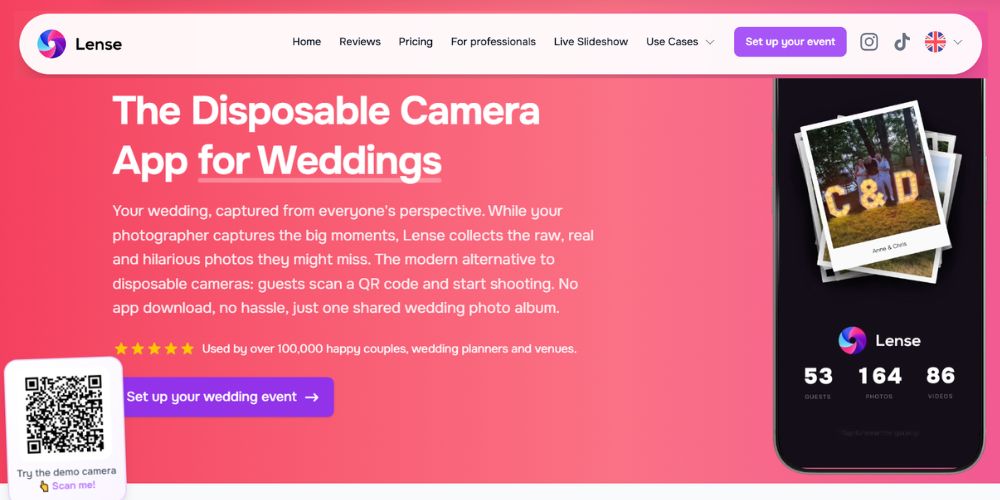
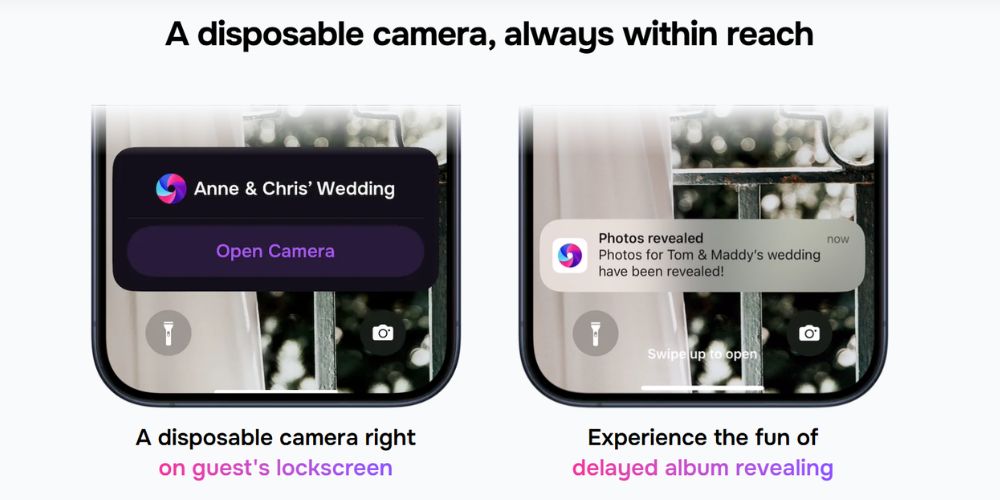
Best known for: a disposable camera experience that guests open straight from a QR code. Price: free up to 7 guests; $34.99 for up to 100 guests, one-time. Unlimited captures and video are optional add-ons.
Lense turns guests' phones into a digital disposable camera. Guests scan a QR code, enter their name and start shooting in the browser. Couples choose the photo limit per guest and when the album is revealed. (Lense is our product.)
See how it works on our page about the disposable camera app for weddings.
Features
No app download or account for guests
Instant, delayed or private album reveal
Live photo wall on any TV or projector, included in every plan
Camera on the iPhone lock screen, plus uploads from the camera roll
Review and delete photos, with a built-in filter for inappropriate content
Photos kept in full quality, with 12 months of storage and a one-click album download
Cons
25 photos per guest by default; unlimited captures are a paid add-on
Video is a paid add-on
Source: Lense pricing and FAQ, checked 14 October 2026.
Pix Wedding
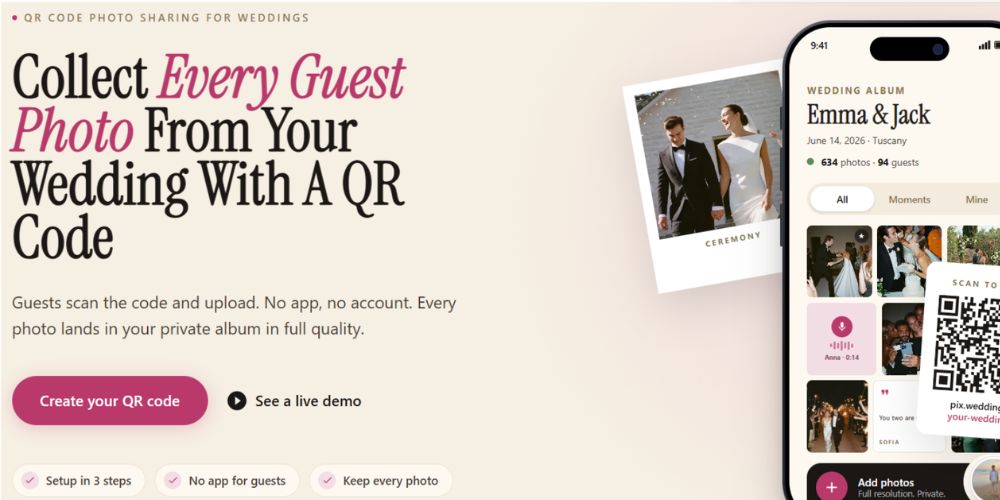
Best known for: photo games like missions and bingo cards. Price: $49 (Starter), $59 (Standard) or $89 (Pro), one-time.
Pix Wedding is a QR code gallery that opens in the browser. Every paid plan includes unlimited photos, videos and guests, with a film-roll mode that hides photos until the reveal.
Features
Unlimited photos and videos in original quality on all paid plans
Film-roll mode for a delayed reveal
Live slideshow, audio guestbook, photo missions and bingo (Standard and up)
AI selfie search on Pro
Cons
Free version is limited to 20 guest uploads
Starter includes only 6 months of storage
Prices change with monthly promotions
Source: Pix Wedding, checked 14 October 2026.
POV
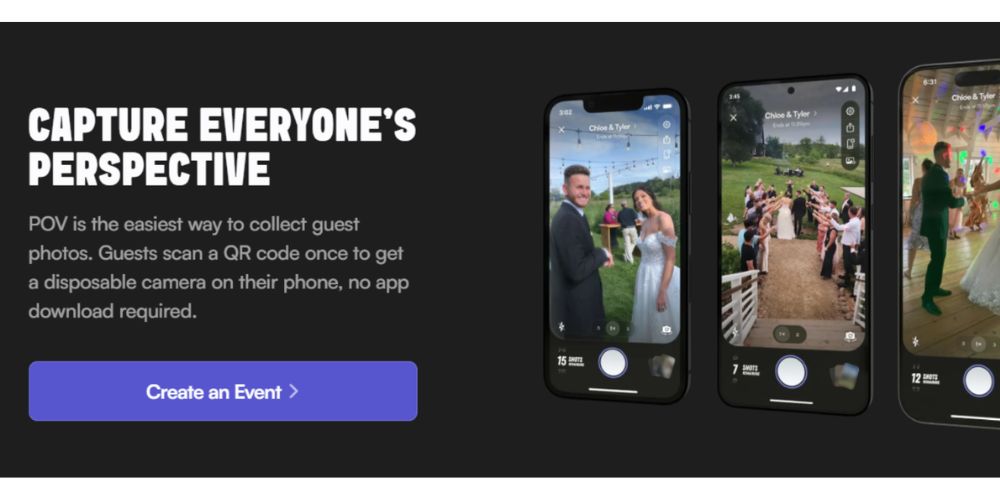
Best known for: the disposable camera feel, with photos revealed later. Price: free up to 10 guests; $34.99 for up to 100 guests.
POV is a camera app with a delayed reveal. Guests don't need to download an app: iPhone users join through an App Clip and Android users through the web.
Features
Hosts set how many photos each guest can take
Delayed reveal at a time you choose
Review and delete guest photos at any time
Optional printed photo book
Cons
Live slideshow and custom branding are in the business package (+$20 at 100 guests)
Video support and storage duration aren't stated on the pricing or FAQ pages
Source: POV pricing and FAQ, checked 14 October 2026.
Wedibox

Best known for: photo sharing bundled with an audio guestbook and wedding website. Price: $29 (Embed), $49 (Wedding) or $79 (All-In-One), one-time.
Wedibox lets guests scan a QR code and upload without logging in. The Wedding plan adds an audio guestbook, live slideshow and wedding website.
Features
Unlimited uploads on paid plans
Audio guestbook and live slideshow (Wedding and All-In-One)
RSVP, seating chart and registry links (All-In-One)
Original-quality ZIP download (Wedding)
Cons
Free plan is limited to 50 photo uploads
Upload windows of 3 to 12 months, depending on the plan
RSVP only on the most expensive plan
Source: Wedibox pricing, checked 14 October 2026.
WedShoots
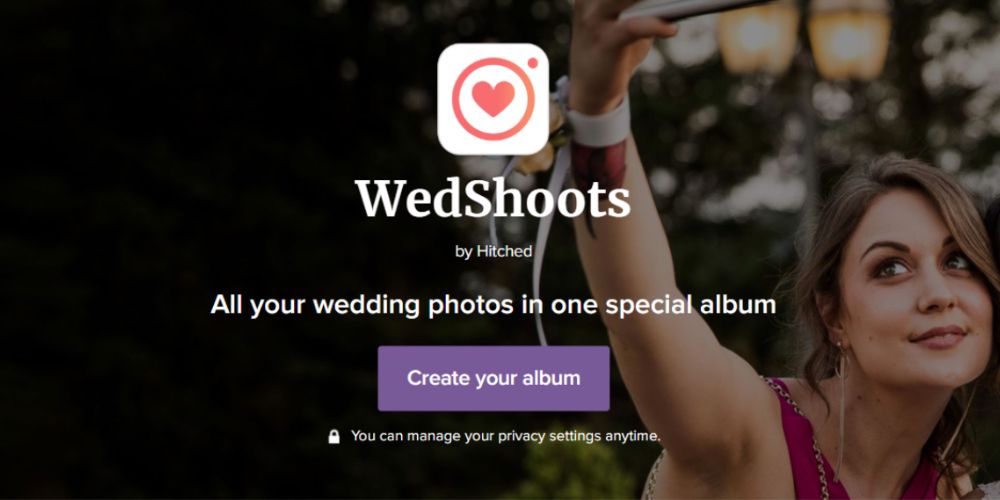
Best known for: a completely free wedding album app. Price: free.
WedShoots, from Bodas.net, gives you an access code. Guests download the app and enter the code to share photos in a private album.
Features
Free, with no upload limit stated
Private album; the couple can remove guests
High-resolution download, filters and a projector mode
Cons
Guests must download the app
Video support and storage duration aren't stated
Source: WedShoots, checked 14 October 2026.
WedUploader

Best known for: sending guest photos straight to your own Google Drive. Price: $49 one-time (Premium).
WedUploader doesn't store your photos itself: guest uploads go directly to your Google Drive, so the album never expires. Guests don't need to log in.
Features
Unlimited uploads in original quality, limited only by your Drive storage
Albums never expire
Real-time slideshow, guest captions and voicemails
Unlimited albums for the engagement party, shower and wedding
Cons
Storage depends on your Google Drive (15 GB free, according to WedUploader)
No free plan listed on the pricing page
No delayed reveal mentioned
Source: WedUploader pricing and FAQ, checked 14 October 2026.
Is there a free wedding photo sharing app?
Yes. Google Photos and WedShoots are free, and most paid apps have a free tier for small events. The catch is in the limits:
Google Photos: free, but uploads count toward your Google storage, and there are no wedding features.
WedShoots: free with no stated upload limit, but every guest has to download the app.
Free tiers of paid apps: Lense (up to 7 guests), POV (up to 10 guests), Kululu (100 uploads), Guestpix and Wedibox (50 photos), Pix Wedding (20 uploads).
For a full wedding, a free tier is mainly a way to test the guest experience before you pay.
How wedding photo sharing with a QR code works
With a wedding QR code, guests point their phone camera at a sign and land straight in your shared album. Nine of the ten apps work this way without a regular app download. WedShoots uses an access code and its own app instead.
Create your event and download your QR code.
Print it on table cards, your welcome sign or the menu.
Guests scan it, enter their name if asked, and start sharing photos.
You download the whole album after the wedding.
Tips to get more guests scanning your wedding QR code:
Put it where guests wait: on every table, at the bar and on the welcome sign, not just once at the entrance.
Say what it does: a short line like "Scan to share your photos" works better than a bare code.
Print it big enough: at least 2 x 2 inches (5 x 5 cm) for a table card, larger for a sign people read from a distance.
Test before you print: scan it with both an iPhone and an Android phone.
Share the link too: send it in your wedding group chat or on your wedding website, for guests who don't scan.
Check the venue's signal: guests need internet to join. Some apps, like Lense, save photos offline after joining and upload them later.
Need a ready-made design? Use our free QR code generator and templates.
The best wedding photo sharing apps: our top 3
Lense and Pix Wedding tie for first place at 4.75 out of 5. Guestpix follows at 4.5. Here are the scores for all 10 apps, using the criteria and weights from the start of this article.
App | No app (20%) | Limits (20%) | Pricing (15%) | Control (15%) | Setup (10%) | Quality (10%) | Fun & extras (10%) | Total |
|---|---|---|---|---|---|---|---|---|
Lense | 5 | 5 | 4 | 5 | 4 | 5 | 5 | 4.75 |
Pix Wedding | 5 | 5 | 4 | 5 | 4 | 5 | 5 | 4.75 |
Guestpix | 5 | 5 | 4 | 4 | 4 | 5 | 4 | 4.5 |
GuestCam | 5 | 5 | 4 | 3 | 4 | 5 | 4 | 4.35 |
Wedibox | 5 | 5 | 4 | 3 | 4 | 4 | 5 | 4.35 |
Kululu | 5 | 4 | 4 | 4 | 4 | 4 | 3 | 4.1 |
WedUploader | 5 | 4 | 4 | 3 | 3 | 5 | 4 | 4.05 |
POV | 4 | 3 | 4 | 5 | 4 | 3 | 4 | 3.85 |
Google Photos | 4 | 3 | 5 | 2 | 4 | 3 | 1 | 3.25 |
WedShoots | 1 | 4 | 5 | 3 | 3 | 4 | 2 | 3.1 |
Scores from 1 to 5, based on information on each provider's website, checked 14 October 2026. Where a provider doesn't state something (for example video support or photo quality), we scored it 3.
1. Lense: best for a disposable camera experience
Lense is the pick if you want guests to shoot photos all day, not just upload them afterwards. The camera opens from a QR code, sits on the iPhone lock screen, and keeps photos hidden until your chosen reveal. A live photo wall is included in every plan. It costs $34.99 for 100 guests with 25 photos each; unlimited photos (+$10) and video (+$9.99) are optional add-ons. (Lense is our product.)
2. Pix Wedding: best for photo games and an audio guestbook
Pix Wedding is the pick if you want guests playing along. Photo missions with a live leaderboard, bingo cards and an audio guestbook come with the Standard plan ($59). Every paid plan includes unlimited photos and videos in original quality.
3. Guestpix: best all-in-one value
Guestpix is the pick if you want unlimited photos and videos, a guestbook and an RSVP invite for $49. It's a classic upload app, so guests share photos from their camera roll rather than shooting in a camera.
The winner
On our criteria, Lense and Pix Wedding share first place. Choose Lense if you want guests to shoot like with a disposable camera and see the photos together as a surprise. Choose Pix Wedding if you want photo games and an audio guestbook. If you mainly want every photo in one place for the lowest price, Guestpix and Wedibox are strong choices.
Frequently asked questions
What is the best wedding photo sharing app?
In our comparison of 10 apps, Lense and Pix Wedding tie at 4.75 out of 5. Lense is best for a disposable camera experience, Pix Wedding for photo games and an audio guestbook. Guestpix (4.5) is the best all-in-one value at $49.
What is the best wedding photo app for guests?
The best app for guests is one they can use without downloading anything. Nine of the 10 apps we compared open from a QR code or link in the phone's browser. Only WedShoots requires guests to download an app.
Is there a free wedding photo app for guests?
Yes. Google Photos and WedShoots are free, but WedShoots requires guests to download its app. Lense, POV, Kululu, Guestpix, Wedibox and Pix Wedding have free tiers for small events or testing.
What is the best wedding photo sharing QR code app?
Nine of the 10 apps let guests join with a QR code; only WedShoots uses an access code and its own app. Among them, Lense and Pix Wedding score highest (4.75). Lense, GuestCam, Guestpix, Wedibox and WedUploader also offer ready-made QR code templates for table cards and signs.
How do I create a shared photo album for a wedding?
Create an event in a wedding photo sharing app like Lense, download your QR code and print it on table cards or your welcome sign. Guests scan it and add their photos to one shared wedding album, which you can download after the wedding.
How do I collect wedding photos from guests?
The easiest way is a shared album guests join with a QR code, so photos arrive during the wedding instead of weeks later. For all the options, from group chats to shared drives, see our guide to the best ways to collect wedding photos from guests.
Can guests upload videos?
Most apps support video. GuestCam, Guestpix, Kululu, Pix Wedding, Wedibox and WedUploader include it on paid plans; Lense offers it as an add-on for clips up to 1 minute. POV and WedShoots don’t state video support on their websites.
How much does a wedding photo sharing app cost?
Most paid apps charge a one-time fee of $29 to $99 for a wedding. For 100 guests with unlimited photos and video, prices range from $29 (Wedibox) to $99 (Kululu). None of the dedicated wedding apps we compared require a subscription.
Do wedding photo apps keep photos in full quality?
GuestCam, Guestpix, Kululu (paid plans), Lense, Pix Wedding, Wedibox and WedUploader say they keep or let you download photos in full or original quality. Kululu’s free plan stores photos in standard quality.