Best Way to Collect Wedding Photos from Guests. 8 Ways Compared
Last updated on October 28, 2026
Short answer: It depends on your wedding. For a small wedding where you know everyone, a WhatsApp group or shared Google Photos album works fine and is free. For most weddings, a QR code photo app collects the most photos: guests scan a code, shoot straight from their browser, and everything lands in one album in full quality, without anyone having to remember to upload later.
Below, we compare every common method so you can pick what fits your wedding.
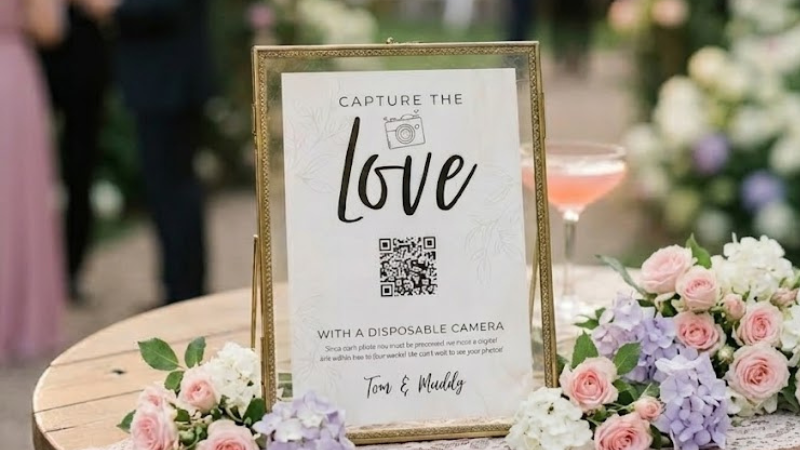
Why is it so hard to collect wedding photos from guests?
Your wedding day goes fast. You'll remember the big moments, but a lot happens that you don't see: your grandma on the dance floor, your friends' reactions during the speeches, the quiet moments at the tables. Most of that ends up on your guests' phones.
Getting those photos back is harder than it sounds:
People forget. On the day everyone means to share. A week later the photos are buried in their camera roll.
Nobody knows where to send them. One guest uses the group chat, another sends an email, a third posts on Instagram.
Quality drops. Many messaging apps compress photos, so what you receive looks worse than what was taken.
You have to chase people. Sending reminders to 100 guests is not how you want to spend your first weeks as a married couple.
The best method solves all four: it's easy on the day, it has one clear place to upload, it keeps the quality, and it doesn't depend on guests remembering later.
8 ways to collect wedding photos from guests
1. WhatsApp (or another group chat)
The most obvious option: create a group, add your guests and ask them to share.
Pros: free, and everyone already has it.
Cons: you need everyone's phone number, photos are compressed unless guests choose HD or send them as files, the chat fills up with messages between the photos, and saving everything means downloading it one by one. Big groups also feel a bit awkward for guests who don't know each other.
Best for: small, close-knit weddings.
2. Google Drive or Dropbox
Share a folder link and ask guests to upload.
Pros: full quality, lots of storage, and easy to download everything at once.
Cons: uploading to a shared Drive folder generally requires a Google account, and uploading from a phone takes several steps. Dropbox File Requests let people upload without an account, but it's still a clunky flow on mobile. Most guests do this after the wedding, if they do it at all.
Best for: tech-savvy guests and collecting photos from your photographer or a few close friends.
3. Google Photos shared album
Create a shared album and send the link.
Pros: free, good quality, and nice to browse.
Cons: guests need a Google account to add photos, and it isn't built for events. You can't moderate before photos go live, and there's no reveal moment.
Best for: families who already use Google Photos.
4. iCloud Shared Album
Apple's version of a shared album.
Pros: built into every iPhone.
Cons: Android guests can view the album via a public link but can't add photos. Photos and videos are also stored at reduced resolution.
Best for: weddings where almost everyone uses an iPhone.
5. AirDrop on the day
Ask guests to AirDrop photos to you or a friend.
Pros: instant, full quality.
Cons: only works between Apple devices that are close by, and someone has to accept every transfer during the party. In practice this captures very little.
Best for: grabbing a few specific photos, not collecting everything.
6. A wedding hashtag on Instagram
Put a hashtag on your signs and let guests post.
Pros: fun, and your guests do the sharing.
Cons: you only get the few photos people choose to post publicly. Private accounts don't show up, quality is lower, and many guests don't want their wedding photos on their feed.
Best for: an extra, not your main collection method.
7. Physical disposable cameras on the tables
The classic: a camera on every table.
Pros: nostalgic, and guests love the surprise when the photos are developed.
Cons: you pay for every camera plus the development. A lot of shots come out blurry, dark or accidental. Cameras get lost or taken home, and you wait weeks for the result.
Best for: couples who want the analogue look and accept the cost and hit-and-miss results. (We wrote more about why traditional disposable cameras are disappearing.)
8. A QR code photo app (digital disposable camera)
Guests scan a QR code on the tables, open a camera in their phone's browser, and every photo goes straight into your shared wedding album.
Pros: no app to install, photos arrive during the wedding instead of weeks later, full quality, and everything is in one place. Many apps also let you add a disposable-camera feel with a photo limit and a delayed reveal.
Cons: it isn't free, and guests need internet to join.
Best for: most weddings, especially if you want as many photos as possible without chasing anyone.
The 4 options most couples choose between
There are plenty of ways to collect guest photos, but in practice most couples end up choosing between four: a WhatsApp group, a shared album (Google Photos or Google Drive), disposable cameras on the tables, or a QR code photo app.
We left the others out on purpose. AirDrop and iCloud only work between Apple devices, so your Android guests can't join. An Instagram hashtag only collects the few photos people choose to post publicly. None of these work as your main way to collect photos.
Here's how the four real options compare:
QR code photo app | WhatsApp group | Shared album (Google Photos / Drive) | Disposable cameras | |
|---|---|---|---|---|
No app or account needed | ✓ | ✗ | ✗ | ✓ |
No need to chase guests afterwards | ✓ | ✗ | ✗ | ✓ |
Photos arrive during the wedding | ✓ | ✓ | ✗ | ✗ |
Full photo quality | ✓ | ✗ | ✓ | ✗ |
All photos in one place | ✓ | ✗ | ✓ | ✓ |
Download everything at once | ✓ | ✗ | ✓ | ✗ |
Disposable-camera surprise (reveal) | ✓ | ✗ | ✗ | ✓ |
Free | ✗ | ✓ | ✓ | ✗ |
The pattern: methods that depend on guests uploading after the wedding collect far fewer photos. The best results come from methods where the photo lands in your album the moment it's taken.
How a QR code photo app works
Here's what it looks like with Lense:
Create your wedding album. Setup takes about two minutes.
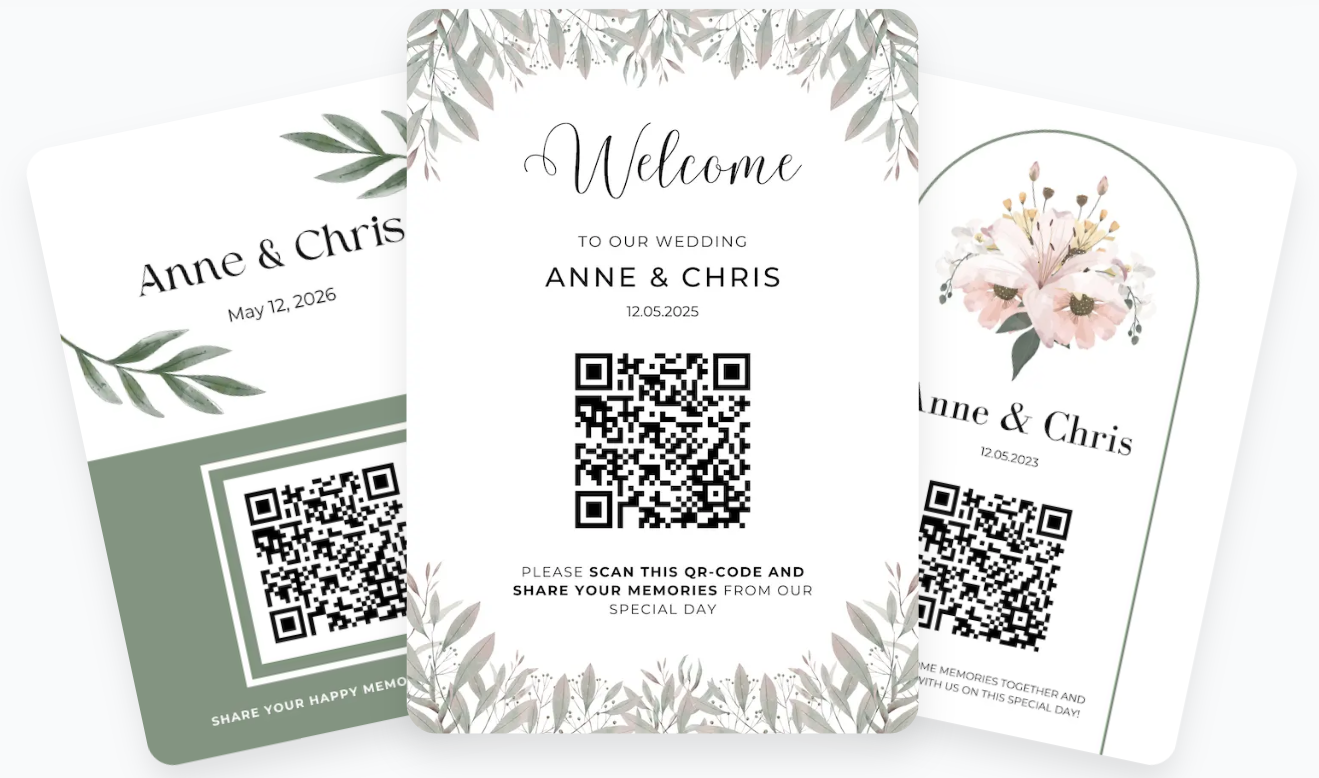
Print your QR code. Put it on table cards, the welcome sign or the menu, or share your event link in the invitation.
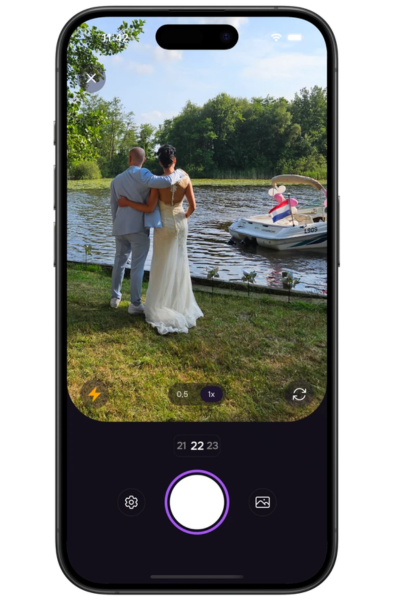
Guests scan and shoot. No app, account or sign-up. It works in the browser on iPhone and Android. Guests can take new photos and videos or upload ones from their camera roll. Once they've joined, they can keep shooting even without a connection.
Choose how photos are revealed. Use a Delayed Reveal for the disposable-camera surprise, a Live Album so everyone sees photos come in during the party, or a Private Album so only you see them.
Stay in control. Set a photo limit per guest or allow unlimited photos. Review uploads before they're visible, and inappropriate uploads are filtered automatically.
Download everything. Save single photos or your whole album. Your photos stay available for 12 months, and they belong to you.
7 tips to get more photos from your wedding guests
Whatever method you choose, these tips make a big difference:
Make it visible. Put the QR code or instructions on every table, not only at the entrance.
Tell guests in advance. Mention it in your invitation or wedding website.
Ask your MC or DJ to announce it. A short announcement after dinner gets a lot of people to start.
Give guests a mission. A photo list ("photo with the oldest guest", "the best dance move") gets people shooting.
Remove every step you can. Every extra step (downloading an app, making an account, finding a link) loses guests.
Keep it fun with a reveal. A delayed reveal gives guests something to look forward to the next morning.
Assign a few enthusiastic friends. One or two "photo captains" get the rest of the table going.
Guest photos vs. a professional photographer
Guest photos don't replace your photographer, they add to it. Your photographer captures the key moments beautifully. Your guests capture everything else: the tables your photographer never reached, the after-party, the candid moments from angles only a friend would think of. Together you get the full story of your day. (Considering skipping a photographer altogether? See our alternatives to wedding photographers.)
The bottom line
If you only want a handful of photos from close friends, a group chat or shared album is fine. If you want all the moments your guests captured, in full quality and without chasing anyone afterwards, choose a method where photos land in your album during the wedding. A QR code photo app like Lense is the simplest way to do that.
Frequently asked questions
What is the easiest way to collect wedding photos from guests?
A QR code photo app. Guests scan a code, take photos in their browser, and everything goes straight to one shared album. They don't need to download anything or remember to upload later.
Can guests upload wedding photos without downloading an app?
Yes. Browser-based apps like Lense work straight from the phone's camera and browser after scanning a QR code, with no app or account needed.
How do I get wedding photos from guests in full quality?
Avoid methods that compress photos, like standard WhatsApp messages or Instagram. Use a shared folder or a photo app that uploads the original files.
Is there a free way to collect wedding photos?
A Google Photos shared album or a Google Drive folder. They work, but expect fewer uploads, because guests need an account and usually upload after the wedding, if at all. A disposable camera app like Lense lets up to 7 guests join for free.
How long after the wedding should I collect guest photos?
Ideally during the wedding itself. The longer you wait, the fewer photos you'll get back. That's why methods where photos arrive in real time collect the most.
Is a digital disposable camera better than real disposable cameras?
For most couples, yes: no development costs, no lost cameras, and you see the photos the next day instead of weeks later. Real disposable cameras do have a unique analogue look. Read our comparison of disposable camera alternatives.