On tap the ••• and then tap “Open in browser” to open this page.
On tap the ••• and then tap “Open in external browser” to open this page.
On tap the ••• and then tap “Open in browser” to open this page.
Every guest's photo, live on the big screen
Turn any screen into a live photo wall where guests can share memories in real time. Simply connect a TV or projector, let guests scan the QR code, and watch every new photo and video appear instantly. No app downloads, no complicated setup.
Scan & add!
New photo!
Used by over 100.000 guests, couples, event organizers and venues.
A Live Photo Wall transforms guest photos and videos into a slideshow or interactive photo display on any screen. Every capture appears in real time, creating a shared experience where guests don't just watch the event, they help create it.
How Lense's Live Photo Wall works in 4 easy steps
Step 1
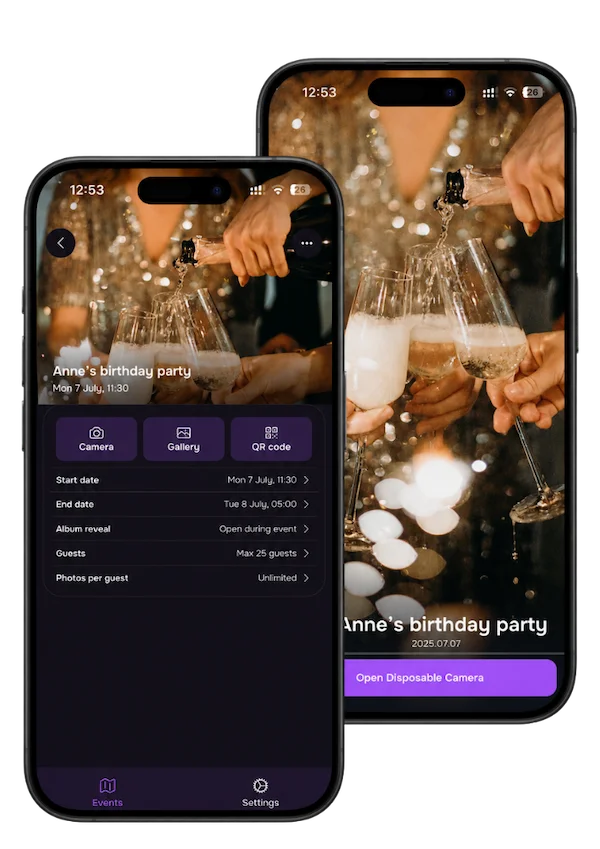
Create your event
Set up your Lense event in minutes and get your Live Photo Slideshow ready to display on any screen.
Set up in 2 minutes: Enter your event details and preferences, Lense takes care of the rest.
Personalize your event: Add a name and cover photo to match your style.
Connect any screen: Cast or connect your device to the big screen.
Step 2
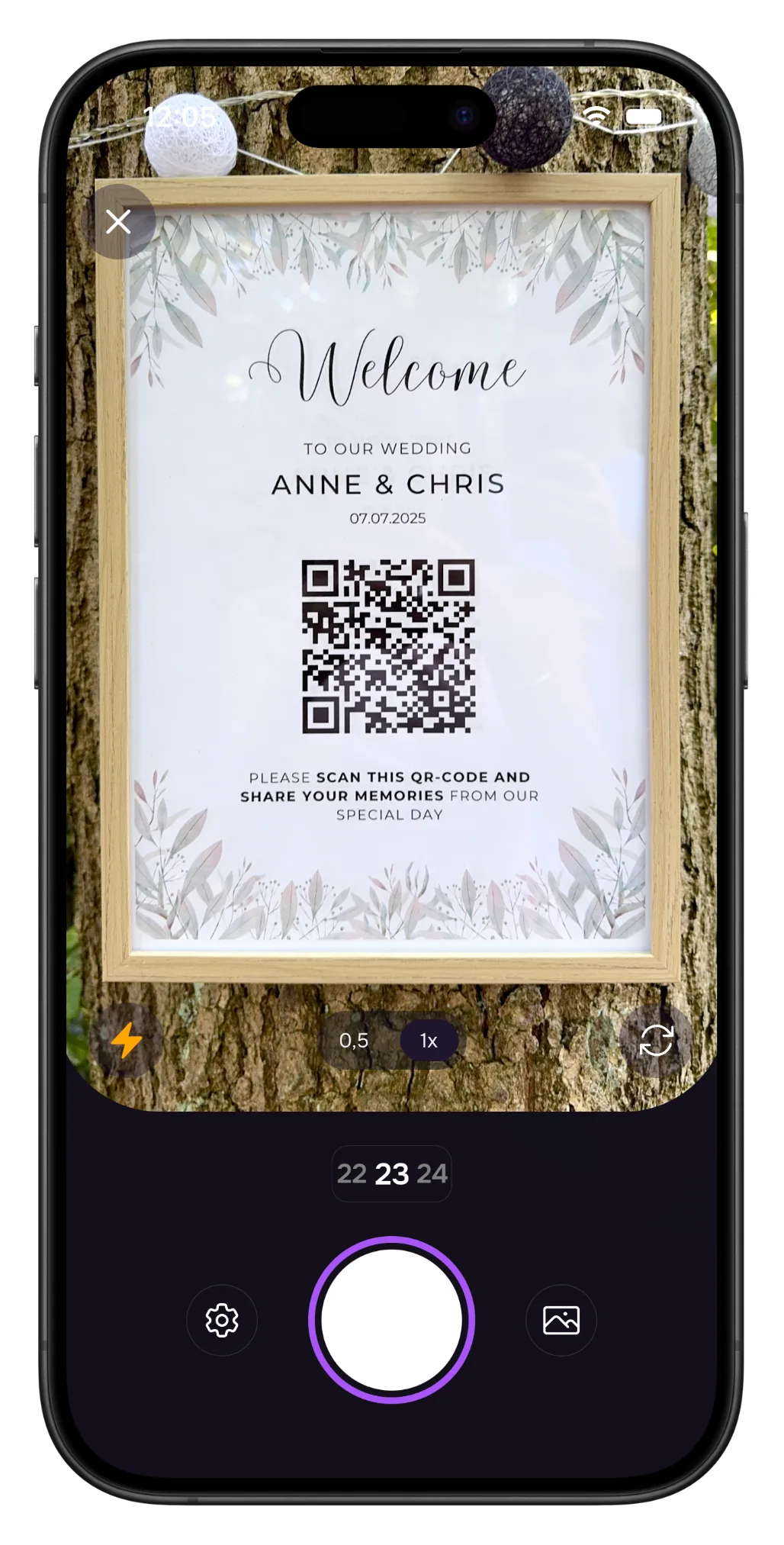
Guests join instantly with a QR code
Guests join your Live Photo Wall in seconds by scanning the QR code on screen or opening your shared link. Extra QR codes can be placed on tables or event signs for easy access.
No app required: Guests share photos and videos directly from their browser.
Works on every phone: Compatible with both iPhone and Android devices.
Step 3
Capture and share every moment
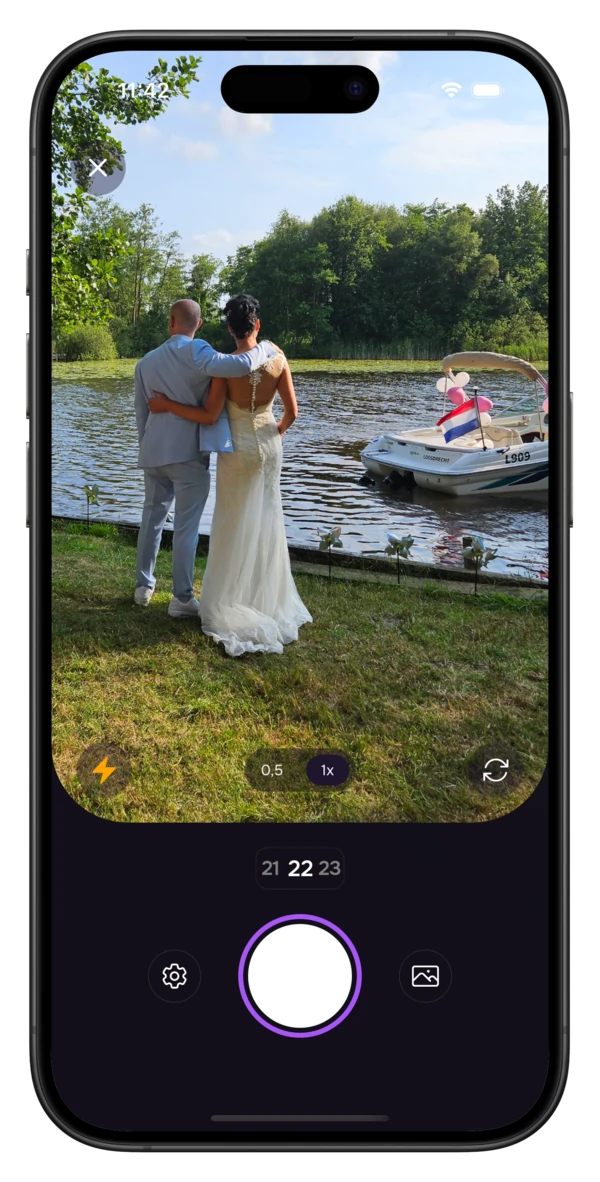
Guests use their own phones to capture photos and videos from every angle, creating authentic memories you might otherwise miss.
Photos & videos: Capture spontaneous laughs, reactions, and unforgettable moments.
Capture your way: Take photos with the Lense camera or upload from the camera roll.
Limited or unlimited captures: Recreate the disposable camera experience or let guests capture as much as they like.
Step 4
Watch every photo and video appear live
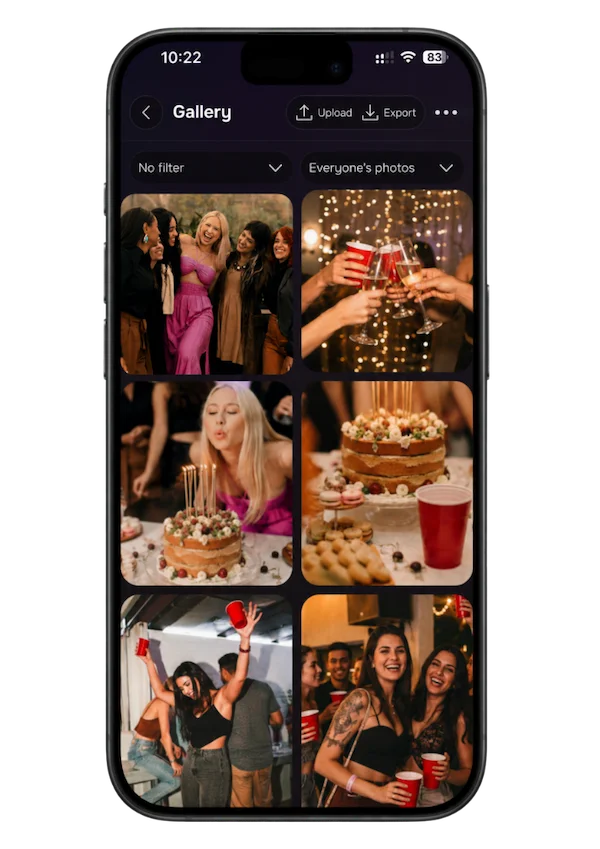
Watch your venue come alive as every new photo and video appears instantly on the big screen. After the event, everything is automatically collected in one shared gallery.
Live photo wall: Every upload appears instantly on your screen.
Choose your reveal: Display photos live or surprise everyone with a delayed reveal.
Share or keep private: Decide exactly who can access your event gallery.
“This is hands down the best disposable camera app around. The pricing is perfect and the add-ons are wonderful. Everyone loved being able to see the photos taken by the other guest. ”
KE
Kellee
United States
“We used Lense for our wedding, and we absolutely love to see all the pictures our guests took during the day. Lense is amazingly simple to set up and I would recommend to anyone who wants to keep many memories of a special day.”
AH
Anne Harryman
Bath, UK
“This was a great addition to the traditional wedding photography! Everyone enjoyed it, will cherish these photos”
Find answers about Lense's digital disposable camera app for weddings, parties, and corporate events. Still have questions? Shoot us an email, we're happy to help!
Ready to go? Click the button below.
Create your Lense event, open your Live Photo Wall, and display it on any screen at your venue using a laptop. Guests simply scan the QR code shown on screen and start sharing photos and videos that appear live throughout your event.
What do I need to display a Live Photo Wall on a TV or projector?
Not much.
You only need a screen you can connect your laptop to. This can be a TV, projector, or LED screen using HDMI, Chromecast, AirPlay, or another screen-sharing method.
Do I need to pay extra for the Lense Live Photo Wall?
No.
Every Lense event includes the Live Slideshow feature as a free add-on service.
Can I control what appears on my Live Photo Wall?
Yes.
You stay in control of your event experience. You can remove photos whenever needed, and Lense automatically filters inappropriate uploads to help keep your Live Photo Wall fun and suitable for everyone.
Does the Live Photo Wall work on any TV or projector?
Yes.
Lense works with virtually any TV, projector, or LED screen that can display your laptop. There is no special equipment required to create a live photo slideshow at your event.
Do guests need to download an app?
No.
That's what makes Lense so easy to use.
Guests simply scan your QR code or open your event link and instantly start sharing photos and videos from their phone. No app downloads, accounts, or sign-ups required.
Does Lense work on iPhone and Android?
Yes.
Lense works on virtually every modern smartphone, including iPhone and Android devices. After scanning the QR code or opening the link, guests can start capturing and sharing moments instantly.
Can guests upload both photos and videos?
Every Lense event includes photo sharing, and you can easily purchase video sharing during setup.
Guests can capture using the Lense camera or upload existing photos and videos from their camera roll, giving you the complete story of your event.
What happens to my photos and videos after the event?
Everything is automatically collected in one shared event album.
After your event, you can relive every moment, share the gallery with guests, or download your photos and videos whenever you'd like.
Can I choose when guests see the photos?
Yes.
You decide how your memories are shared. Display photos live during your event, reveal them afterwards, or keep your shared photo gallery private.
Can I use the Lense Live Photo Wall for weddings, parties, and corporate events?
Absolutely.
Lense is perfect for weddings, parties, corporate events, and other celebrations where guests want to capture and share moments together. Whether it's a small gathering or a large event, everyone can be part of the experience.