Shared Wedding Photo Album: Easy Guest Photo Sharing (2026)
Getting your guests' photos is one of those wedding to-dos that's easy to leave until the last week. It's worth sorting out early, because the photos add up faster than you'd think.
Give 100 wedding guests a camera on their phone and they'll take about 780 photos. That's the average we see across weddings on Lense. Without a shared album, most of those photos never leave the phone they were taken on.
In this guide we compare three ways to bring them together in one shared album: a free Google Photos album, an upload site like WedUploader, and Lense, the disposable camera app we make. All three are compared on the same points, from price to how much effort it takes your guests, so you can pick what suits your wedding.
Short answer
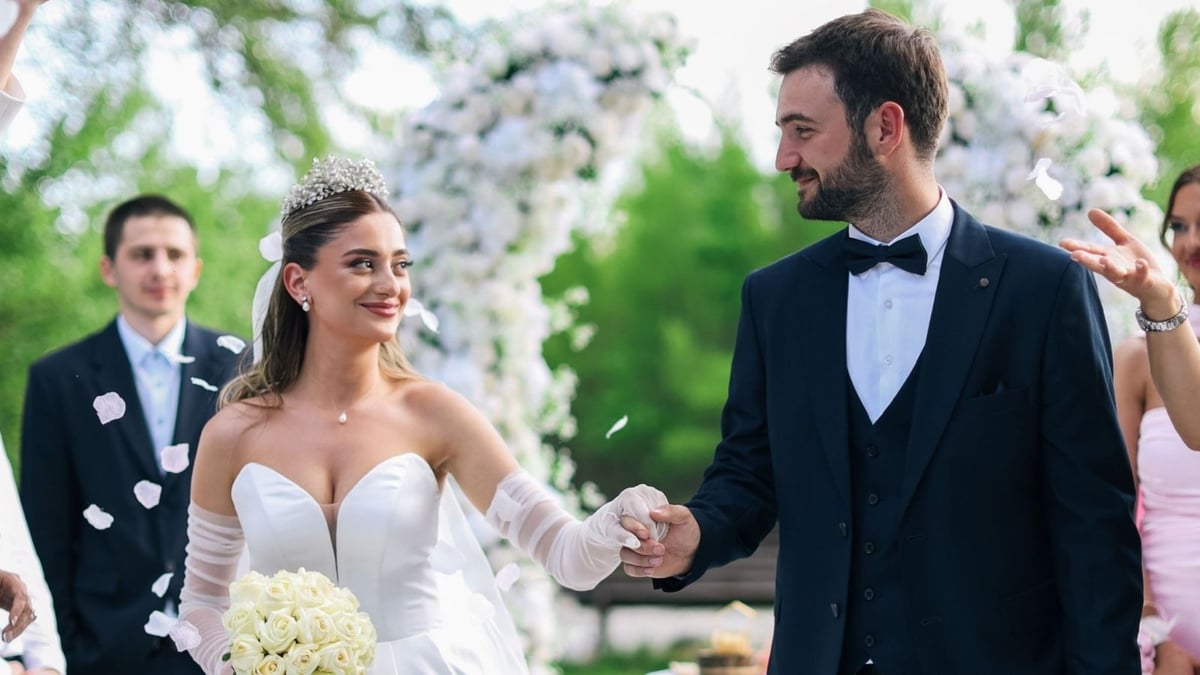
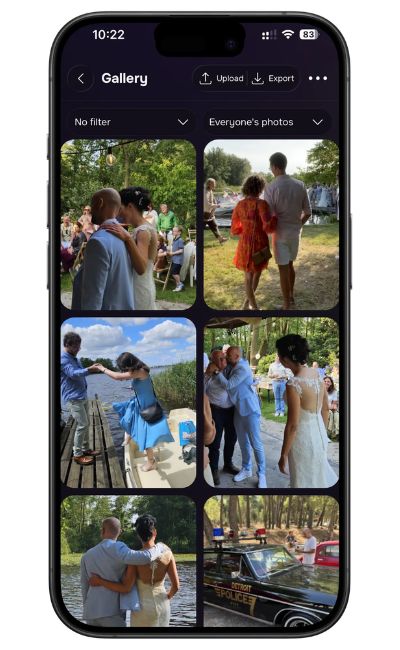
A shared photo album for a wedding is one place where all your guests add the photos they take, usually through a link or QR code. Google Photos is a free option if your guests have Google accounts. A disposable camera app like Lense runs in the browser, with no download or account for guests, and turns photo taking into part of the party.
Wedding guest photo sharing: 3 ways to set up a shared album
All three get photos into one album. The difference is when guests share, and whether they enjoy doing it.
1. Google Photos shared album
The basic free option. You create an album and share a link or QR code.
Pros
Free, and it simply works
Familiar for guests who already use Google Photos
Cons
Guests need a Google account to add photos, and not everyone uses Google Photos
Guests upload after the wedding, and some forget
2. Wedding upload site (WedUploader)
We picked WedUploader as the example because it's one of the best-known upload sites. Guests open a link or QR code and upload what's on their phone, straight to your Google Drive.
Pros
A wedding-styled album page, no app or login for guests
Photos and videos land in your own Google Drive in original quality
Cons
There's no camera, so guests upload what they already shot, often days later
Storage runs on your Google Drive, which is 15 GB on a free account
Want a deeper comparison? Read our WedUploader alternative page.
3. Disposable camera app (Lense)
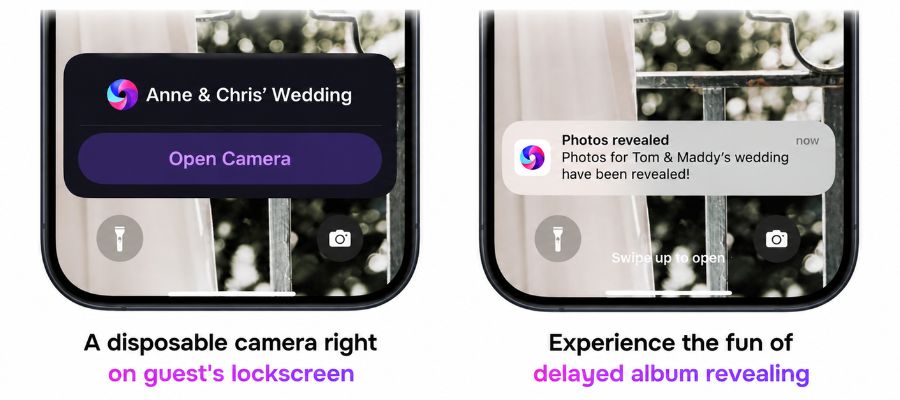
Guests scan a QR code and a camera opens in their browser. Every photo lands in your album right away, hidden until the reveal you choose.
Pros
Nothing to remember: photos are in the album the moment they're taken
Taking photos becomes part of the party, with a surprise reveal and an optional live photo wall
On iPhone, a lock screen notification reopens the camera in one tap, so guests keep shooting all night
No app or account needed
Cons
Each guest gets 25 shots by default, and unlimited photos cost extra. For most guests that's plenty, and picking your moments is half the fun.
Shared wedding photo albums compared
Google Photos | WedUploader | Lense | |
|---|---|---|---|
No account for guests | No (Google account) | Yes | Yes |
No app download | Yes | Yes | Yes |
Built-in camera | No | No | Yes |
Uploads from camera roll | Yes | Yes | Yes |
Videos | Yes | Yes | Yes (optional extra) |
Live slideshow | No | Yes | Yes |
Surprise reveal | No | Not listed | Yes |
Unlimited photos | Yes | Yes | Yes (optional extra) |
Storage included | No (Google storage) | No (Google Drive) | Yes |
Price | Free | $39 ($58 with seating chart) | $34.99 for 100 guests |
Facts checked on November 4, 2026, from each provider's own site: Google Photos Help, WedUploader and WedUploader pricing, Lense pricing. "Not listed" means we couldn't find it on the provider's site.
How to create a shared wedding album in Google Photos
This takes about five minutes and costs nothing.
Open the Google Photos app and sign in.
Select a photo of the two of you, tap "Add", then "Shared album".
Give it a clear name, like "Emma & Liam's Wedding", so guests know they're in the right place.
Check that guests are allowed to add photos (collaborating) in the album options.
Tap "Share" and create a link. In the album you can also show a QR code to print.
Put the link or QR code on your wedding website, the tables or your thank-you cards.
Good to know: guests without a Google account can view the album, but they'll be asked to sign in before they can add photos. Expect a few guests to drop off there. Send a reminder a few days after the wedding, because most uploads come in once people are home.
Steps based on Google Photos Help, checked November 4, 2026. Button names can differ slightly between iPhone, Android and the web.
How to make a shared wedding album with Lense (the fun way)
A shared album asks guests to do homework after the wedding. A disposable camera app turns it into something they do at the wedding, because it's fun. Think of the disposable cameras on the tables at your parents' wedding, but on every guest's phone.
What makes it fun
A limited number of shots. Each guest gets a set number of photos, 25 by default. That makes people pick their moments instead of filming everything.
No peeking. Photos stay hidden until the reveal you choose, often the morning after. Waking up to hundreds of photos you've never seen is the best part.
Photos on the big screen. Prefer to see them during the party? Put the live photo wall on a TV or projector, and guests start shooting just to see their photo appear.
No app, no account. Guests scan the QR code and the camera opens in their browser, on iPhone and Android.
Set up your shared wedding album in 4 steps
Create your wedding event. Pricing scales with your guest count, so you pay for the size of your wedding.
Make it yours. You decide how many shots each guest gets, when the photos are revealed, and the exact date and time of your event.
Print your QR code. Make a custom wedding sign or use our Lense QR code generator. Put it on the tables, at the bar or next to your welcome sign, so every guest notices it.
Enjoy the reveal. Every photo lands in one album in original quality. Download everything in one go, and your album stays online for 12 months. Fun for your guests during the party, and for you the morning after.
Review from a Lense app user:
"The free option allowed us to test out the app and see if we liked it. I had my husband and his daughter trial run it before we decided to use Lense for our wedding. It worked flawlessly. This was a great way to replace the photographer during the reception portion (saving us money), and seeing all angles from various guests makes it extra special." – Natalie Y
What to expect, and how to get more photos
That 780 photos per 100 guests works out to an average of 8 photos per person. Not every guest uses all their shots, and that's fine: the ones who love it make up for the ones who don't.
Fun fact from our own data: the photos don't peak at the ceremony or during dinner. Across events on Lense, the busiest hour is 9 to 10 pm, and more than 1 in 10 photos is taken after midnight. In other words, your album gets better as the night gets later.
What you'll probably find the morning after:
A blurry dance-floor photo that somehow becomes everyone's favorite
Your grandma mid-laugh, from an angle your photographer never had
A selfie series from one table that gets wilder with every shot
At least one very serious, very "artistic" photo of the cake
The last ones on the dance floor, proudly documenting it
Whatever option you choose, these tips help:
Make the QR code impossible to miss. One sign at the entrance isn't enough. Put a card on every table and one at the bar.
Ask out loud. A 10-second shout-out from your DJ or MC during dinner does more than any sign.
Give guests a reason. A short list of moments to capture ("the best dance move", "someone crying happy tears") turns it into a game.
Show the photos. Guests take more photos when they see them pop up on a live photo wall, or when they know a reveal is coming.
Name it clearly. "Emma & Liam's Wedding" beats "Album 3" when someone opens the link a week later.
Which shared wedding album should you pick?
Choose Google Photos if you have a small wedding, no budget, and guests who already use Google.
Choose WedUploader if you mainly want the photos guests already took, saved to your own Google Drive.
Choose Lense if you want guests to take photos during the wedding and have fun doing it. For most weddings, that's where we'd start (yes, we make it).
Curious how it feels for your guests? Try the demo camera, or check pricing and start your shared album with Lense!
Frequently asked questions
Is there a free shared photo album for a wedding?
Yes. A Google Photos shared album is free, but guests need a Google account to add photos. Lense adds the fun extras, like a disposable camera for guests, surprise reveal and a live photo wall. It's free for up to 7 guests, and for a full wedding the price scales with your guest count.
Can I use an iCloud shared album for a wedding?
Yes. Guests need an Apple Account to add photos, so it works best when most of your guests use iPhones. For a mixed crowd, a browser-based option like Lense or WedUploader is easier.
Do guests need an app or account to join a shared wedding album?
With Lense or WedUploader, no: guests scan a QR code and use their browser, on iPhone and Android. Google Photos also works in a browser, but guests need a Google account before they can add photos.
How many photos do wedding guests take?
On Lense, every 100 guests who join take about 780 photos on average, roughly 8 per guest. Most of them come in the evening: across Lense events, the busiest hour is 9 to 10 pm.
How long are the photos stored?
On Lense, your album stays online for 12 months, and you can download everything in one go. With Google Photos and WedUploader, the photos stay in your own Google account for as long as you keep them there.
Can guests see the photos during the wedding?
With Google Photos, everyone sees every photo right away. With Lense, you choose: show them on the live photo wall, or keep them hidden for a reveal.
Can I control which photos are shown in my wedding album?
With Lense, yes. You can remove any photo, and an automatic content filter screens photos at every event. WedUploader lets you pick which photos appear in its slideshow. In a Google Photos shared album, everyone sees everything that's added.
How do we share our professional wedding photos with guests?
That's a different job. Most photographers deliver an online gallery with a share link, which is the easiest way to send those photos to guests. A guest photo app like Lense is for the photos your guests take.